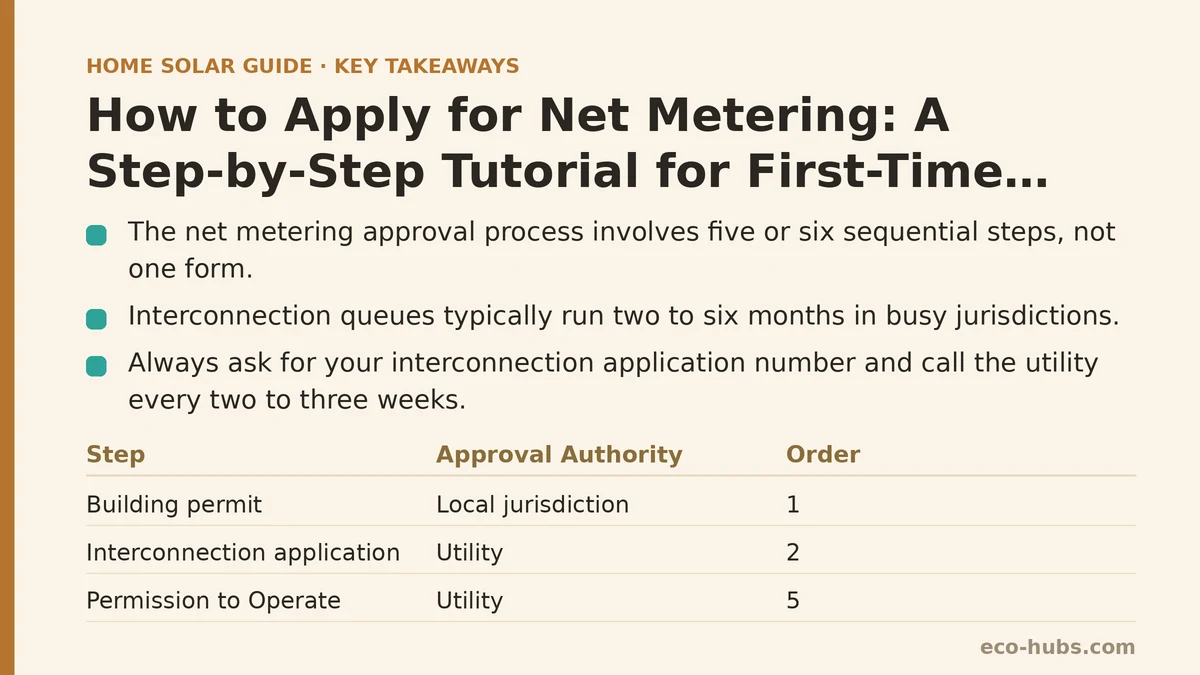
Most homeowners assume their utility will approve a net metering application in a few weeks. In practice, interconnection queues commonly run anywhere from two to six months in busy jurisdictions, and the approval itself is not one step but five or six sequential approvals that each have their own failure points. Going solar without understanding this sequence is one of the most common reasons a finished rooftop array sits idle for weeks, producing power that is not yet legally allowed to flow to the grid.
Below is a checklist-style walkthrough organized by the symptom you are likely to hit, the cause behind it, and the fix. Treat it as a map of the whole process rather than a single form to fill out.
First, Understand What “Net Metering” Requires of You
Net metering is not a product you buy. It is a billing arrangement between you and your utility, and the utility only grants it after your local permitting authority has signed off and your system has passed inspection. The sequence is almost always the same, even though the details vary by state and utility:
- Local building/electrical permit approved.
- Utility interconnection application accepted.
- Utility engineering review completed.
- Installation finished and inspected by your local jurisdiction.
- Utility reviews the inspection sign-off and issues a Permission to Operate (PTO).
- A bidirectional meter is installed or reprogrammed, and net metering billing begins.
If you skip any step or attempt to energize the system out of order, the utility can refuse to activate the account, and in some cases you may be required to remove the interconnection.
Symptom: My Installer Says the Application Is “In Progress” for Months
Cause: The utility interconnection review is a separate track from your building permit, and both must clear before installation can be scheduled in most jurisdictions. If your installer submitted the building permit and the interconnection application at the same time, they may be waiting on the slower of the two — usually the utility — without telling you which stage is stuck.
Fix: Ask your installer for the specific interconnection application number and the date it was submitted. Then call your utility’s distributed generation (DG) or interconnection line directly and quote that number. Utilities are generally required to provide a status update, and many publish average review times by queue position. Do this every two to three weeks rather than assuming the process is moving.
Symptom: The Utility Rejected My Application With an Error Notice
Cause: Interconnection applications get rejected for a small set of predictable reasons. In practice the most common ones are:
- A single-line electrical diagram that does not match the equipment specified.
- An inverter listed that is not on the utility’s approved equipment list.
- A system size that exceeds what the utility’s tier allows without additional engineering review.
- A missing or expired electrician’s or contractor’s license number.
- A signature from someone who is not the account holder of record.
Fix: Read the rejection notice literally. Utilities usually specify which item failed. If it is the diagram or the equipment list, ask your installer to resubmit with the exact model numbers and a corrected diagram. If it is a system size or tier issue, you may need a supplemental engineering review, which adds weeks — this is the single most common cause of a delay that surprises homeowners.
Symptom: My Panels Are Installed but the Meter Is Not Running Backwards
Cause: Your system has not received Permission to Operate. Until PTO is issued, the inverter is required to remain off, because feeding power to the grid without authorization is a safety and code violation.
Fix: Do not let anyone — including your installer — energize the system before PTO is in hand. Confirm the following are true before you expect net metering billing to begin:
- The local jurisdiction has issued a final inspection sign-off.
- A copy of that sign-off has been submitted to the utility.
- The utility has issued a written PTO.
- A bidirectional meter has been installed or reprogrammed (some utilities reuse the existing meter and only change its configuration).
If PTO has been issued but the meter still is not registering exports, ask the utility to confirm the meter configuration. Reprogramming is usually remote but occasionally requires a truck roll, which can add another one to three weeks.
Symptom: I Do Not Know Which Forms to File, or in What Order
Cause: Net metering paperwork is split between two authorities — your city or county (for the building/electrical permit) and your utility (for interconnection). First-timers often file with only one.
Fix: Use the following as a working checklist. File in this order:
- Confirm your utility offers net metering and find its published rate structure (some now use “net billing” with lower export credits — read the current tariff, not an older summary).
- Pull your last twelve months of electricity usage so you can size the system sensibly.
- Obtain a site plan and a single-line electrical diagram from your installer.
- Submit the local building/electrical permit application.
- Submit the utility interconnection application (usually a standard form plus the single-line diagram and equipment spec sheets).
- Wait for both approvals.
- Schedule installation.
- Arrange the final local inspection.
- Send the inspection sign-off to the utility.
- Receive PTO.
- Confirm the meter is configured for bidirectional flow.
- Register for any state or utility incentive programs that require post-installation paperwork.
If any of these steps is missing, net metering cannot begin, no matter how well the system was installed.
Symptom: My First Bill After Activation Looks Wrong
Cause: Net metering billing is not always intuitive. Many utilities apply credits at a rate that differs from the retail rate, and some reset unused credits annually rather than rolling them over indefinitely. If you assumed a one-to-one credit and your utility uses a lower export rate, the bill will look disappointing even when the system is working correctly.
Fix: Locate the specific net metering or net billing tariff that applies to your account and read the credit rate and the annual true-up rules. If you cannot find them, call the utility and ask for the export compensation rate in writing. Then compare the kWh you exported (visible in your monitoring app and on the bill) against the credit applied.
Symptom: My Installer Went Out of Business Mid-Application
Cause: Interconnection applications are tied to the licensed contractor who signed them in most jurisdictions. If the company closes before PTO is issued, the application can stall.
Fix: Contact the utility and explain the situation. In most cases they will allow you to reassign the application to a new licensed contractor or, if the work is already complete and inspected, to proceed as the homeowner of record. Get this in writing before doing anything else with the system.
What to Do Next, Starting Today
- Call your utility and ask for the current net metering or net billing tariff in writing. The rate structure matters more than the application itself.
- Confirm whether your state uses true net metering (one-to-one credit) or net billing (lower export rate). If it is net billing, your savings math changes, and it is worth modeling both.
- Pull twelve months of electricity usage so you can sanity-check any system size an installer proposes.
- Ask your installer, in writing, for the interconnection application number and the date it was submitted the moment it goes in. Track it yourself rather than waiting for updates.
- Do not allow the system to be energized before PTO is issued, regardless of what any timeline suggests.
For anything specific to your address — tier limits, whether your utility approves a given inverter, or what inspection your city requires — confirm with your local permitting office and your utility directly. Programs and rate structures change, and the version governing your account is the one on file with your utility today.
Related guides: Common Net Metering Application Mistakes That Delay Your Solar Connection, Net Metering Credit Rollover Rules: What Happens at Year End, and Net Metering Explained: Why Your Utility’s Policy Matters More Than You Think.
🔗 Recommended Reading
- How to Prepare Your Home for a Solar Site Assessment: A Beginner's Checklist
- How to Size a Solar System for Your Home: A Beginner's Step-by-Step Walkthrough
- Solar Panel Monitoring Apps: A Setup Guide for Beginners
- How to Read Your Electricity Bill After Solar: A Line-by-Line Walkthrough
- Solar Incentive Paperwork: Common Filing Mistakes That Delay Your Rebate