Say you are trying to get your solar panels turned on. The installation is done, the inspection passed, and the system is sitting there generating nothing while you wait on the utility. You call the interconnection department for the third time, and the representative tells you your application was flagged for a missing signature on page four. That page was in the packet you submitted six weeks ago. The correction takes three business days to process, but the next review cycle does not run for another two weeks. Your system stays off for what becomes an eight-week delay, and the whole thing traces back to a single checkbox you skipped before submitting.
Net metering applications fail or stall for a narrow set of repeatable reasons. The utility does not care that you are excited or that your installer said everything was handled. The review is a paperwork exercise, and paperwork exercises reward precision over speed. Here is a symptom-by-symptom breakdown of what goes wrong, why it happens, and how to fix it before it costs you another billing cycle.
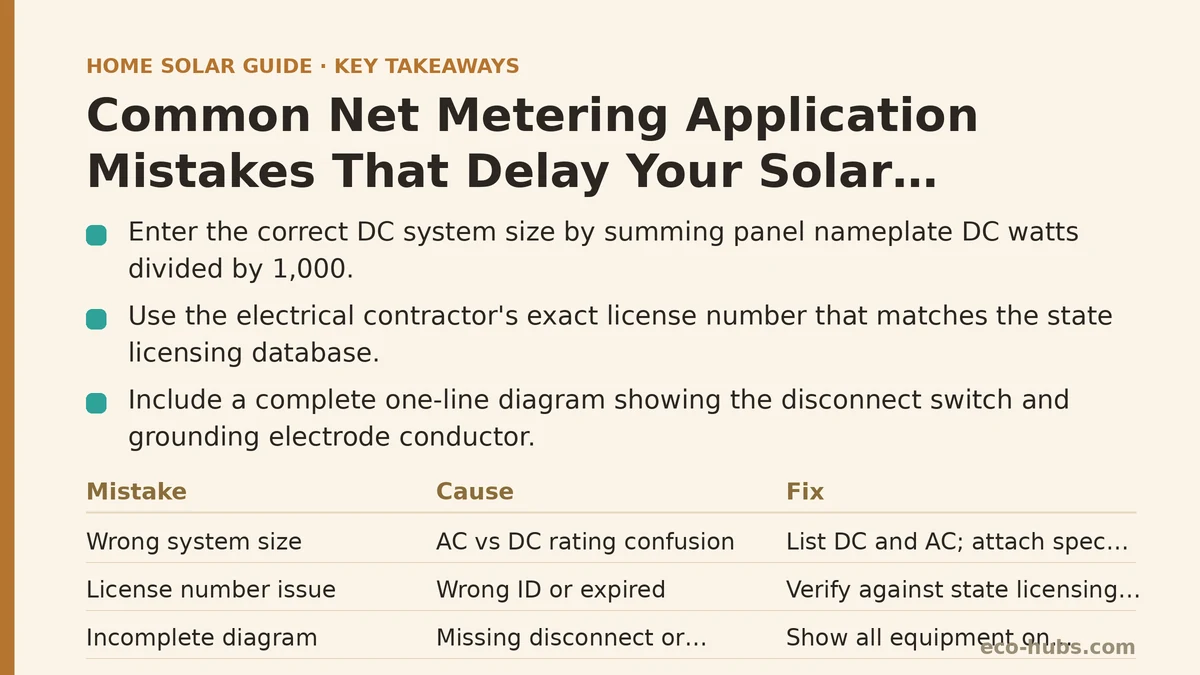
The Wrong System Size Listed on the Application
Symptom: The utility rejects the application because the system size listed does not match the inverter spec sheet or the permit documents.
Cause: The application asks for the system size in kilowatts DC, but the inverter nameplate rating is in kilowatts AC. Many homeowners, and even some sales representatives, copy the AC number into the DC field without thinking about the difference. A 10.0 kW DC array paired with a 7.6 kW inverter gets listed as either 7.6 or 10.0 depending on who fills out the form, and if the two numbers do not match the supporting documents, the reviewer sends it back.
Fix: Check the exact wording on the application. If it says “DC system size,” use the sum of all panel nameplate ratings in DC watts divided by 1,000. If it says “inverter AC output,” use the inverter’s nameplate rating. When in doubt, include both numbers explicitly in the notes field and attach the panel spec sheet alongside the inverter spec sheet so the reviewer can reconcile the figures themselves. Consistent documentation eliminates the back-and-forth.
Missing or Incorrect Electrician License Number
Symptom: The application is returned as incomplete because the electrical contractor’s license number is absent, expired, or does not match the state licensing database.
Cause: The license number is not the same as the business registration number or the tax ID, and homeowners frequently grab the wrong identifier from the contractor’s invoice. In some states, the license number must belong to the master electrician specifically rather than the company, and that distinction is not always obvious.
Fix: Confirm the exact license number appears on the utility’s required field before submitting. Cross-check it against the state licensing board’s public database. If your installer submitted the application on your behalf, ask for a copy of the completed form and verify the license field yourself. A five-minute database lookup is cheaper than a four-week rejection cycle.
Disconnected or Incomplete One-Line Diagram
Symptom: The utility requests a revised one-line diagram because the original submission shows the meter, the main panel, and the inverter but omits the disconnect switch or the grounding electrode conductor.
Cause: A one-line diagram is a simplified electrical schematic, and it needs to show every piece of equipment that the utility will inspect. Homeowners who prepare their own diagrams often leave off the AC disconnect because it sits behind the inverter and seems like an afterthought. The utility reviews the diagram to verify that their grid equipment is protected in every possible operating scenario, so an omitted disconnect reads as an unsafe installation.
Fix: Use the diagram template provided by the utility rather than drawing your own from scratch. Walk the actual installation from the meter to the main panel to the inverter to the disconnect and include every component in the correct order. If your installer provided the diagram, have them annotate each labeled component with its manufacturer and model number. If the diagram was supplied by the panel manufacturer’s design tool, confirm it matches the physical installation rather than assuming the tool produced an accurate as-built version.
The Application and the Permit Have Different Addresses
Symptom: The utility application lists the property address as “1420 Maple Street,” while the building permit cites “1420 Maple Ave.” The reviewer flags the mismatch and the application goes into a holding queue.
Cause: Address discrepancies between city permit records and utility records are common, especially in newer developments where street names changed or in rural areas where 911 addressing was updated after the houses were built. The utility’s database might still carry the old address from the original service connection, and the permit office uses the official property record address.
Fix: Before submitting anything, call the utility’s interconnection department and confirm the exact address format they have on file for your account. Use that format on the application. If the address differs, include a note referencing both the property record address and the physical address. This sounds trivial, but in practice it is one of the most frequent causes of a thirty-day delay because the reviewer cannot match your application to your existing service account.
Paying the Right Fee to the Right Entity
Symptom: The application is returned because the processing fee was paid to the city permit office when it should have been paid to the utility, or the utility application fee was submitted with the wrong payment method.
Cause: Some municipalities bundle the building permit and the utility interconnection into a single fee, while others separate them entirely. Homeowners who paid the building permit fee assume the utility side is covered. Other times, the utility requires an ACH transfer or a corporate check and does not accept personal checks, so the payment fails silently.
Fix: Ask the utility directly what their application fee is, what payment methods they accept, and whether the fee is processed at submission or after the technical review. Ask the same questions of the permit office. Write both down and confirm neither entity assumes the other was paid. A confirmation email from the utility stating the fee was received is your paper trail, and you should not proceed until you have it.
No Net Metering Agreement Executed Before the Application
Symptom: The application is rejected because the utility requires an executed net metering agreement on file before they will process the interconnection request, but the homeowner only completed the interconnection application.
Cause: The utility’s process has two separate documents: the interconnection application (technical details of the system) and the net metering agreement (the billing arrangement that governs how credits are calculated and applied). Homeowners often complete only one. Some utilities execute the agreement automatically upon approval, while others require a separate signature before the technical review even begins.
Fix: Read the utility’s interconnection checklist thoroughly before filling out the first form. Look for the word “agreement” specifically. If you are working with an installer, ask them to confirm which documents they filed and which ones remain outstanding. The utility’s website may list the required documents in a checkable format, and checking off each one before submission prevents the entire class of “you forgot the other form” rejections.
The Inverter Model Has Not Received Utility Approval
Symptom: The application is rejected because the inverter model is not on the utility’s approved equipment list, even though it has UL certification and is listed on the state’s approved equipment list.
Cause: Utilities maintain their own approved equipment lists in addition to state and national certifications. A new inverter model that is perfectly compliant per UL 1741 may not yet appear on a specific utility’s list, especially in the first months after release. Homeowners who purchase the newest inverter available sometimes discover their utility has not yet reviewed it.
Fix: Check the utility’s approved equipment list before purchasing the inverter, not after the panels are on the roof. If the model you want is not on the list, either select a model that is, or call the utility and ask how long their review process takes for new equipment. In some cases, the utility will accept the state list as sufficient evidence, but that varies by jurisdiction and it is not safe to assume.
Checklist: Verify These Before You Submit
| Item | What to Check | Time to Verify |
|---|---|---|
| System size | DC vs. AC field matches supporting documents | 5 minutes |
| Electrician license | Number matches state database, correct entity | 5 minutes |
| One-line diagram | Every component shown, matches as-built | 20 minutes |
| Address | Matches utility’s account record exactly | 5 minutes |
| Fees | Paid to the correct entity, confirmation received | 10 minutes |
| Net metering agreement | Separately executed, on file with utility | 10 minutes |
| Inverter approval | Model on the utility’s approved list | 10 minutes |
What to Do Next
If your application is already in review, call the utility’s interconnection department and ask for the specific reason it is pending. Do not accept a general status update. Ask them to read the rejection notes aloud or send them by email. Then fix each item in the checklist above before resubmitting, because a second rejection will cost you at least another full review cycle.
If you have not submitted yet, run through the checklist in order. Take the extra hour to verify every field against the source documents. That hour is the difference between a four-week review and a ten-week one, and in many cases the delay costs you more in lost solar production than the quick verification work ever would.
Which utility are you working with, and have they already told you the specific reason your application is pending? Share the rejection note and I can help you interpret what the utility is asking for in plain language.
Related guides: How to Apply for Net Metering: A Step-by-Step Tutorial for First-Time Homeowners, How to Read Your Electric Bill After Going Solar, and Net Metering Explained: Why Your Utility’s Policy Matters More Than You Think.
🔗 Recommended Reading
- How to Prepare Your Home for a Solar Site Assessment: A Beginner's Checklist
- How to Size a Solar System for Your Home: A Beginner's Step-by-Step Walkthrough
- Solar Panel Monitoring Apps: A Setup Guide for Beginners
- How to Read Your Electricity Bill After Solar: A Line-by-Line Walkthrough
- Solar Incentive Paperwork: Common Filing Mistakes That Delay Your Rebate