An electricity bill after solar installation is a monthly statement of two separate transactions: the energy your system delivered to the grid (credited to you) and the energy your home drew from the grid (charged to you), settled according to your utility’s specific net metering or billing structure. The bill is not a single number — it is a stack of charges, credits, and adjustments that frequently do not behave the way new solar owners expect. Reading it correctly requires knowing which line items reflect energy flows and which reflect fixed utility costs that solar does not offset.

The Core Structure of a Post-Solar Bill
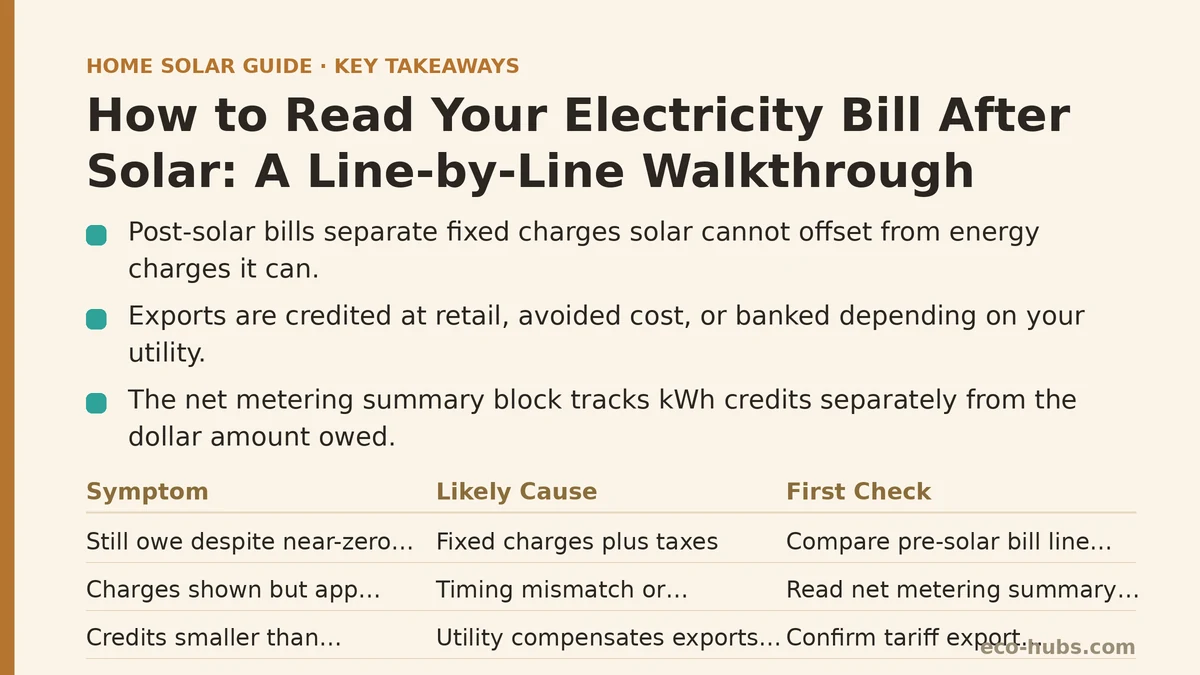
Before tackling specific problems, it helps to know what a typical post-solar bill is composed of. Most residential bills from U.S. utilities with net metering in place include:
- Customer charge / fixed monthly fee — a flat amount, commonly $10 to $25, independent of usage. Solar does not reduce this.
- Energy charges (kWh delivered to you from the grid) — usage-based charges at your retail rate, applied only to net consumption the utility supplied.
- Energy credits (kWh exported from your system) — either netted against consumption at the retail rate, at a lower “avoided cost” rate, or banked as a kWh credit for future months, depending on the utility.
- Non-bypassable or public benefit charges — small per-kWh charges that typically apply to delivered energy and are not offset by exported energy.
- Taxes and surcharges — calculated on the resulting dollar totals, not on kWh.
- Net metering summary block — a running tally of credits accumulated or used, distinct from the monthly dollar amount owed.
The key insight: some dollars on the bill are energy-related and solar-affected; others are fixed utility costs that appear identically before and after solar. Confusing the two leads to most of the frustration homeowners report in the first few months.
Reading the Bill as a Troubleshooting Checklist
The rest of this walkthrough works through the most common post-solar billing questions in the form of symptom → likely cause → what to check and fix. Work through the rows in order — each depends on understanding the previous one.
| Symptom on Your Bill | Likely Cause | First Thing to Check |
|---|---|---|
| Still owe a dollar amount despite near-zero usage | Fixed customer charge + taxes | Compare to pre-solar bill line items |
| Bill shows charges, but app shows heavy production | Timing mismatch or delivered-vs-exported split | Read the net metering summary block |
| Credits seem far smaller than expected | Utility credits exports at wholesale rate | Confirm your tariff’s export compensation rate |
| Credit balance shrinks without usage change | Annual true-up reset | Note your true-up date |
| Big true-up bill once per year | Monthly minimum underpaid vs. annual reconciliation | Ask if utility offers monthly true-up |
| No line item for export at all | Solar not yet interconnected | Confirm Permission to Operate (PTO) date |
The sections below walk through each row in detail.
Symptom: “I Still Owe Money Even Though My Usage Is Near Zero”
Cause: Fixed charges. The customer charge, meter fee, and various taxes apply regardless of how much energy your home pulled from the grid. A solar system that offsets 100% of your kWh consumption does not offset the $15-per-month meter fee or the state and local taxes assessed on that fee. Bills in the $15–$30 range during sunny months are normally expected in many net metering territories.
What to check:
- Pull a bill from the same month the year before solar and compare the fixed-charge lines. If they match, the system is working as intended.
- Verify that your utility has not added a new “solar-specific” or “distributed generation” fee. Some utilities do add these, and they are legitimate line items (though controversial) — not billing errors.
- If your fixed charges are higher than expected, confirm you were not moved to a different rate class after interconnection. Some utilities reassign solar customers to a time-of-use (TOU) rate schedule automatically.
Symptom: “My Bill Looks Charges-Heavy but My Monitoring App Shows Strong Production”
Cause: The bill and the monitoring app measure two different things on two different timelines. The app reports DC or AC energy your system generated; the bill reports only what was exported after household consumption was satisfied, and only within the utility’s metering interval. If your home was consuming 3 kW and the array was producing 3.5 kW, the utility sees an export of 0.5 kW — not 3.5 kW. Heavy midday usage (EV charging, pool pump, HVAC) shrinks credit accumulation without changing production.
What to check:
- Compare daily kWh from the app with the “exported” kWh line on the bill for the same period. Expect the exported number to be smaller. That gap is self-consumption.
- Look for discrepancies larger than roughly 10–15%. Larger gaps can indicate a CT (current transformer) placement issue in the monitoring system, or a utility meter that needs a re-read.
- Confirm the reading dates on the bill match the period you are looking at in the app. Billing cycles rarely start on the 1st of the month and often do not align with the app’s calendar.
Symptom: “The Credits Are Much Smaller Than the Retail Rate Would Suggest”
Cause: Not every utility pays the retail rate for exports. There are three common structures:
- Full retail net metering — exports net against consumption at the retail rate, dollar for dollar. Most favorable to the homeowner.
- Avoided-cost or wholesale-rate export — the utility pays the wholesale generation rate (often $0.03–$0.06/kWh) instead of the retail rate ($0.12–$0.40+/kWh). Credits look roughly 3–6x smaller.
- Buy-all, sell-all — all production is sold to the utility at a set rate, and all consumption is billed at the retail rate. Rare in the residential sector but present in some markets.
What to check:
- Locate the rate schedule or “rider” number on the bill (e.g., “Residential Net Metering Rider NM-1”) and look it up on the utility’s website.
- Compare the per-kWh credit rate shown on the bill with the per-kWh charge rate. If the credit rate is meaningfully lower, you are in a structure where the utility pays the avoided cost for exports.
- If the structure is unfavorable, the household-level fix is to shift more consumption into daylight hours (see the next section). The utility-level fix requires policy change, not a billing correction.
Symptom: “My Credit Balance Dropped Even Though I Hardly Used Any Power”
Cause: True-up or credit reset. Many utilities zero out accumulated kWh or dollar credits on a fixed annual date — commonly the anniversary of interconnection, but sometimes a fixed calendar month. If your true-up falls in, say, March, your credits from a strong September may simply vanish each spring. This is structural and disclosed in the tariff, though it is easy to miss.
What to check:
- Find the true-up date on the bill, often labeled “Net Metering Anniversary Date” or “Annual Reconciliation.” Note it in a calendar.
- On the last bill before true-up, the utility typically converts any remaining kWh credits into a dollar credit or forfeits them, depending on jurisdiction. Some states require a cash payout; many do not.
- If the timing is bad for you (e.g., true-up lands in late winter when you have banked little), ask the utility whether the true-up date can be moved. Some allow it once; many do not.
Symptom: “I Got a Big Bill Once a Year for No Clear Reason”
Cause: Monthly minimum versus annual settled billing. Many utilities bill a small “minimum” each month and then reconcile the full year’s net position on the true-up date. If your exports during summer did not fully cover your winter imports — a common outcome in northern climates, especially with electric heat — the annual bill becomes the settlement of that gap.
What to check:
- Compare monthly kWh imported and exported. If winter imports exceed summer exports, an annual charge is expected.
- Under this structure, system sizing has a bigger effect on the yearly bill than on the monthly bill. A system designed to offset 100% of annual kWh will still produce monthly volatility, but a system at 80% of annual usage will leave a predictable annual shortfall.
- Ask the utility if a “monthly true-up” or “rolling credit” option exists. Some offer it; most do not, and switching may not be possible after interconnection.
Symptom: “My Bill Shows No Export Credit at All”
Cause: The system has not yet received Permission to Operate (PTO), or the utility has not swapped the meter or reprogrammed the existing one. Before PTO, the system is typically required to be off or in zero-export mode, and no credits accrue.
What to check:
- Confirm the PTO date from the installer or the utility’s interconnection email. If the bill covers a period before PTO, no credits are expected.
- After PTO, verify the utility has installed a bi-directional meter or reprogrammed the existing meter. Some utilities rely on software-only meter reconfiguration and require a manual “billing code change” on the account. That change occasionally gets missed.
- If export credits are still absent two full billing cycles after PTO, contact the utility’s net metering department directly (not general customer service) with the PTO letter attached.
Symptom: “Charges Are Fine but the Bill Is Confusing to Reconcile with the App”
Cause: Billing period misalignment, time-of-use rate windows, or meter-read estimates. Time-of-use rates (increasingly the default for solar customers) charge different rates by hour, so the same kWh imported at 7 p.m. costs far more than at 11 a.m. If your app does not model TOU, its “savings” number will not match the bill.
What to check:
- Note the exact start and end dates of the billing period. Align the app’s data to those dates, not to the calendar month.
- Identify whether your rate is flat, TOU, or a tiered structure combined with TOU. Each produces a different bill for the same energy flows.
- If your installer’s monitoring app does not separate imports by TOU period, treat its savings figure as approximate. The bill is the source of truth.
Specific Numbers to Watch Each Month
A short reference of the line-item ranges most homeowners in net metering territories see:
| Line Item | Typical Range | Solar-Affected? |
|---|---|---|
| Customer charge | $10–$25/month | No |
| Energy charge (delivered kWh) | Varies by usage and rate | Yes — reduced by solar |
| Export credit | Varies by tariff structure | Yes — created by solar |
| Non-bypassable charges | $0.01–$0.05/kWh delivered | Partially — applies to imports |
| Taxes and surcharges | Percentage of dollar totals | Indirectly |
| Annual true-up | Settlement of net position | Yes — sum of the year |
Numbers vary widely by state and utility. The point is not the specific values but the category — fixed charges do not move with solar; energy credits and charges do.
What to Do Next
- Pull last month’s bill and this month’s bill side by side. Circle every line item that also appeared on your pre-solar bill. Those are the fixed items solar cannot offset.
- Locate your net metering tariff number on the bill and look it up online. Confirm whether exports earn retail or avoided-cost credits.
- Write down your true-up date and set a reminder 30 days before it. That is when you can still shift usage or plan for a settlement.
- Confirm PTO status if you do not see export credits. Two billing cycles without them is the threshold for calling the utility.
- If the bill seems inconsistent with the app, reconcile on billing-period dates before assuming an error. Most “errors” are timing or TOU effects.
- If a discrepancy survives all of the above, contact your utility’s net metering or interconnection line with the specific billing period, your PTO letter, and the tariff you believe applies. Billing corrections on solar accounts do happen, but they require the specific date range and tariff reference to be investigated.
If you have already gone through these steps and one line item still does not add up, describe the specific category — export credit, fixed charge, or true-up — and the billing period, and we can help narrow down which part of the tariff is producing the number. Related guides: Net Metering vs Battery Storage: Which Setup Saves More, Solar Panel Installation Process Step by Step: What Happens, and How to Compare Solar Installer Quotes for an Apples-to-Apples Decision.
🔗 Recommended Reading
- Solar Financing for Small Business Owners: A Cash Flow and Tax Guide
- How to Switch Your Home to Solar: A Beginner's Step-by-Step Roadmap
- How to Prepare Your Home for a Solar Site Assessment: A Beginner's Checklist
- How to Size a Solar System for Your Home: A Beginner's Step-by-Step Walkthrough
- Solar Panel Monitoring Apps: A Setup Guide for Beginners