A drop in production and a broken system are not the same thing, though most homeowners treat every dip in output as proof that something has failed. One is often a normal response to weather, season, or a dusty panel surface. The other requires an inverter reset, a technician visit, or a warranty claim. Confusing the two leads to two opposite mistakes: ignoring a real fault because “solar panels just do that sometimes,” or panicking over a temporary dip that would have resolved itself by the following week.
This guide works through the most commonly reported solar panel problems in a myth-versus-reality format, organized around the questions homeowners actually ask when their system isn’t behaving the way they expected.
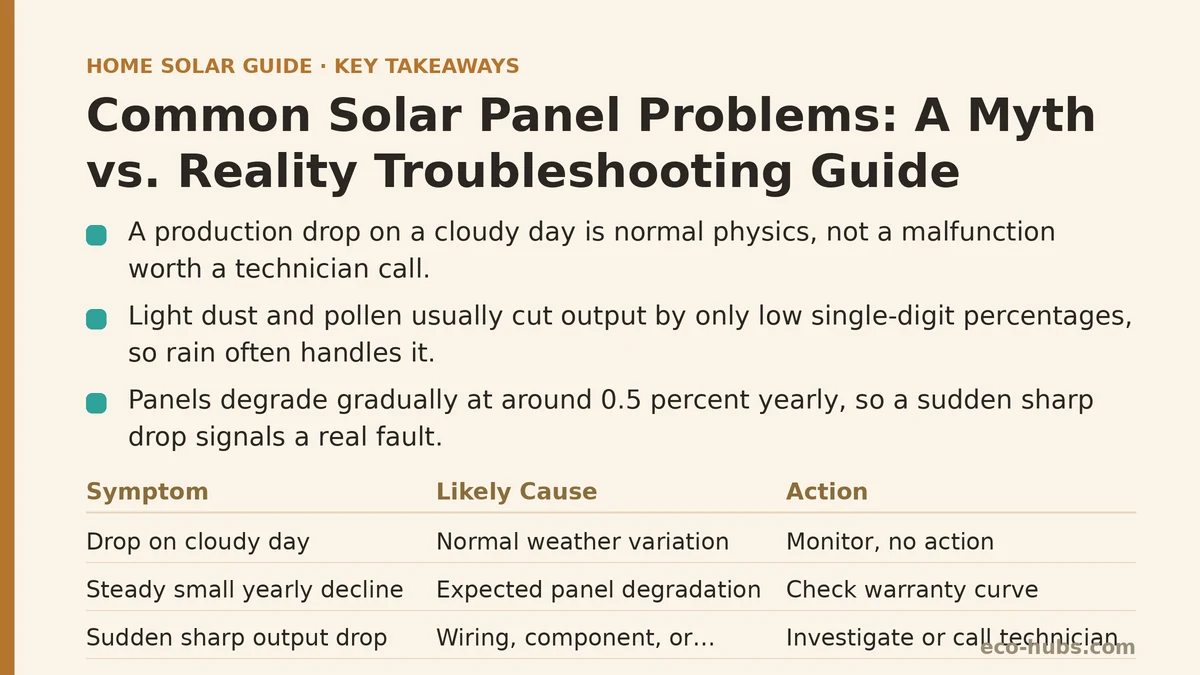
Is It Normal for Production to Drop on Cloudy or Short Winter Days?
Reality. Solar panels generate electricity from sunlight, so less available sunlight means less output — this isn’t a malfunction, it’s the basic physics of the technology working as designed. Shorter winter days, lower sun angles, and heavier cloud cover all reduce production predictably. If you’re comparing your December output to your July output and seeing a significant gap, that’s expected seasonal variation, not a fault.
What’s worth checking: whether the pattern matches the weather. A production drop on an objectively cloudy day is normal. A production drop on a clear, sunny day with no obvious cause is the actual signal worth investigating.
Does a Layer of Dust or Pollen Meaningfully Reduce Output?
Partly myth, partly reality. Light dust and pollen do reduce output somewhat, but the effect is usually smaller than homeowners assume — often in the low single-digit percentage range for typical residential buildup, not the dramatic loss some assume from looking at visibly dirty panels. Rain tends to handle routine dust naturally in most climates.
Where this becomes a genuine issue is in specific conditions: heavy pollen seasons, nearby construction dust, bird droppings concentrated on a small number of cells, or long dry stretches without rain in dustier regions. In those cases, a difference of ten percent or more between a cleaned test panel and the rest of the array is a reasonable trigger for a full cleaning, rather than assuming routine buildup is always harmless.
Do Solar Panels Actually Wear Out and Stop Working?
Mostly myth, with a real kernel of truth. Panels don’t typically “stop working” in the way a light bulb burns out. Instead, they degrade gradually — losing a small percentage of their original output capacity each year, a rate manufacturers disclose in their performance warranties. A panel rated at roughly 0.5% annual degradation will still be producing a large majority of its original output after twenty-five years.
The myth is the idea that this gradual decline means eventual failure. The reality is closer to a slow, predictable curve rather than a cliff. A sudden, sharp production drop is not typical degradation — it points toward something else: a wiring issue, a failed component, or physical damage, which is a different problem entirely from the expected aging curve.
Could a Sudden Drop in One Section of the Array Mean a Single Panel Failed?
Reality, and worth investigating directly. Unlike gradual whole-system degradation, a sharp production drop isolated to part of the array often does point to a specific failed or underperforming panel, a loose connection, or — in systems without panel-level optimizers — one shaded or faulty panel dragging down an entire string’s output.
This is where system-level monitoring earns its keep. If your monitoring app or portal shows production data broken down by string or by individual panel, you can usually pinpoint the affected section before calling anyone out. Without that visibility, a technician visit with diagnostic equipment becomes the more reliable next step rather than guessing.
Are Hot Spots on Panels Dangerous, or Just Cosmetic?
Reality — and worth taking seriously. A hot spot occurs when a shaded, damaged, or otherwise underperforming cell is forced to absorb energy from the rest of the string rather than generate its own, causing localized overheating. Left unaddressed, this can accelerate degradation of that cell and, in more severe cases, pose a fire risk, which is why hot spots are treated as a genuine maintenance issue rather than a cosmetic one.
Common causes include partial shading from a growing tree branch, a persistent covering of debris, or a manufacturing defect in the cell itself. If a thermal inspection or visible discoloration on a panel points to a hot spot, this is worth addressing through your installer or a qualified technician rather than monitoring it indefinitely.
Does Rain or Snow Damage Solar Panels?
Mostly myth. Panels are built and tested to withstand normal precipitation, hail within tested thresholds, and the weight of typical snow accumulation — this is standard in most manufacturer warranties and product certifications. Rain, in fact, tends to help by washing away light surface dust between cleanings.
Where the myth becomes reality: extreme weather beyond what the panels were rated for — unusually large hail, ice dam formation that puts uneven pressure on mounting hardware, or standing water pooling due to a mounting or drainage flaw. Those situations are worth a post-storm inspection, but routine rain and typical snowfall are not a cause for concern on their own.
If My Inverter Shows an Error Code, Does That Mean the Whole System Is Down?
Usually myth. Modern inverters display error codes for a wide range of conditions, many of which are minor and self-correcting — a brief grid fluctuation, a temporary overtemperature shutdown on an unusually hot day, or a routine restart after a firmware update. Many of these resolve on their own within minutes or after a manual reset, without indicating any lasting fault.
The reality worth knowing: persistent or recurring error codes, especially ones tied to a specific component rather than a transient grid condition, are a legitimate reason to contact your installer or the inverter manufacturer’s support line. Most inverter manufacturers publish an error code reference — checking your specific code against that list before assuming the worst is a quick and useful first step.
Does a Lower Electric Bill Savings Than Expected Always Mean the System Is Underperforming?
Often myth. A smaller-than-expected reduction in your bill can result from several factors that have nothing to do with the panels themselves: a change in household electricity usage, a utility rate increase, a shift in your net metering terms, or simply a production estimate that was optimistic to begin with. As we’ve covered in our production estimate guidance elsewhere, an inflated original estimate can make an otherwise properly functioning system look like it’s falling short.
The reality check here is a direct comparison: your system’s actual measured production against its own original estimate, not against your bill savings alone, since the bill is affected by variables the panels don’t control.
A Quick Reference: Myth or Reality?
| Reported Problem | Myth or Reality | What to Do |
|---|---|---|
| Lower output on cloudy/winter days | Myth (expected) | Compare against similar weather conditions, not peak-season days |
| Dust/pollen tanks output dramatically | Mostly myth | Check for a real gap with a cleaned test panel before assuming the worst |
| Gradual output decline over years | Reality (expected degradation) | Compare against your warranty’s disclosed annual rate |
| Sudden drop in one array section | Reality (worth investigating) | Check panel-level monitoring, then call a technician if unresolved |
| Hot spots are just cosmetic | Myth | Have discoloration or thermal readings checked directly |
| Rain/snow damages panels | Mostly myth | Inspect only after weather beyond the panel’s rated tolerance |
| Any inverter error means system failure | Myth | Check the code against the manufacturer’s reference list first |
| Lower bill savings always means underperformance | Often myth | Compare actual production to your original estimate, not bill totals |
When a Real Problem Is Confirmed, What Should Happen Next?
Once monitoring data, a technician’s inspection, or a persistent error code confirms a real fault rather than normal variation, the next step depends on what’s covered and by whom. A manufacturing defect typically falls under the panel or inverter warranty; an installation-related issue typically falls under the installer’s workmanship warranty, a distinction covered in more depth in our warranty guide. Knowing which category a confirmed problem falls into before you call anyone saves a round of back-and-forth about who’s responsible for the fix.
Noticing something on your own system that doesn’t match any of the “myth” explanations above? Describe what you’re seeing — the pattern, the timing, and anything your monitoring app shows — and we can help you figure out which category it likely falls into. Related guides: Why Your Solar Panels Underproduce in Summer: Troubleshooting Common Output Problems, Solar Panel Cleaning: How Often Does It Actually Matter, and Solar Panel Critter Guards: Preventing Pest and Animal Damage.
🔗 Recommended Reading
- How to Size a Solar System for Your Home: A Beginner's Step-by-Step Walkthrough
- Solar Panel Monitoring Apps: A Setup Guide for Beginners
- How to Read Your Electricity Bill After Solar: A Line-by-Line Walkthrough
- Solar Incentive Paperwork: Common Filing Mistakes That Delay Your Rebate
- Home Battery Sizing Mistakes That Lead to Blackout Regret